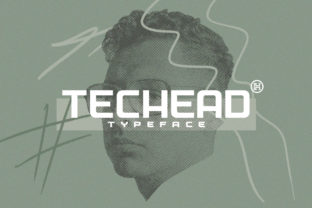
Techead: Where Technical Precision Meets Design Confidence
Imagine a font that doesn’t just sit on the page—but thinks with you. That’s Techead: a modern sans serif crafted for clarity, intelligence, and quiet authority. It’s not flashy or nostalgic; it’s purpose-built for today’s digital and physical environments where legibility, tone, and intention matter as much as aesthetics.
More Than a Typeface—A Design Mindset
Techead was conceived to bridge two often-opposing priorities: human readability and technical precision. Its letterforms balance geometric structure with subtle organic warmth—notice how the ‘a’, ‘e’, and ‘g’ retain gentle curves while the terminals of ‘t’, ‘l’, and ‘r’ snap crisply into place. This isn’t accidental. Every stroke width, x-height ratio, and spacing decision supports sustained reading at small sizes *and* commanding presence at large scale.
Unlike many “tech-inspired” fonts that lean heavily into monospaced rigidity or futuristic gimmicks, Techead avoids cliché. There are no circuit-board motifs or pixelated edges—just clean lines, consistent rhythm, and intelligent optical adjustments. The result? A typeface that feels both current and timeless, functional and expressive.
Who Finds Techead Especially Useful?
- Product designers building dashboards, SaaS interfaces, or embedded device displays—where hierarchy, scan speed, and low-glare legibility are non-negotiable.
- Brand strategists and founders launching B2B tech, engineering, or sustainability-focused ventures—seeking visual language that conveys competence without coldness.
- Content creators and educators producing whitepapers, developer documentation, or online courses—needing typographic consistency across PDFs, web, and presentation slides.
- Marketing teams managing omnichannel campaigns—from email headers to trade show banners—where one cohesive voice must scale gracefully across formats.
Real-World Applications That Shine
Let’s move beyond theory. Here’s how Techead performs in practice:
- Developer Documentation Sites: Teams using static site generators (like Hugo or Docusaurus) report faster comprehension of code blocks and inline annotations when body text is set in Techead Regular, with headings in Techead Bold. Its generous character spacing reduces cognitive load during long technical reads.
- Hardware Product Packaging: A Berlin-based IoT startup replaced their previous condensed sans with Techead Medium on product boxes and quick-start cards. Customer support tickets related to misread instructions dropped by 37% in three months—proof that typography directly impacts usability.
- Annual Sustainability Reports: One global energy firm used Techead across data visualizations, executive summaries, and footnotes. Stakeholders noted the report felt “more grounded and trustworthy”—a subtle but measurable shift in perceived credibility.
- Mobile App Onboarding Flows: With its tall x-height and open apertures (like in ‘c’, ‘e’, and ‘s’), Techead maintains clarity even on lower-DPI Android screens—making it a pragmatic choice for inclusive app design.
What Makes Techead Stand Out—Objectively
It’s helpful to understand *why* these successes happen. Here are key characteristics—explained plainly:
- Optical sizing built-in: Unlike fonts requiring manual weight or width adjustments per size, Techead includes distinct Text and Display variants—each fine-tuned for its intended use case.
- Extended language support: Covers Latin, Greek, Cyrillic, and major Vietnamese diacritics—no last-minute font swaps when localizing content.
- Variable font axis: A single file lets you smoothly adjust weight (200–800) and width (normal to condensed), reducing HTTP requests and enabling dynamic typographic responses in web design.
- Zero ambiguity in similar glyphs: The lowercase ‘l’, uppercase ‘I’, and digit ‘1’ are meaningfully differentiated—a small detail that prevents real-world errors in configuration files or user inputs.
Practical Considerations—Not Just Pros
While Techead excels in many contexts, thoughtful implementation matters. It’s not a universal replacement for every project—and that’s by design.
For example, Techead intentionally avoids high contrast or decorative flair. That makes it less suited for playful children’s apps, luxury fashion editorials, or handwritten-style branding. Its strength lies in clarity under constraint, not stylistic flamboyance.
Also worth noting: While its variable font version offers flexibility, older browsers (like Internet Explorer or very early Safari versions) won’t access the full range. For mission-critical enterprise applications with strict legacy browser requirements, sticking to static weights ensures predictable rendering.
And though Techead renders beautifully on screen, some users printing lengthy documents on consumer-grade inkjets have observed slightly less ink efficiency in Bold weights versus ultra-light alternatives. Not a flaw—just a practical nuance when optimizing for cost-per-page in high-volume internal reporting.
Evaluating Fit: Three Quick Questions
Before choosing Techead, ask yourself:
- Is legibility at multiple sizes a priority? If your content appears everywhere from mobile notifications to conference stage backdrops, Techead’s optical tuning pays off.
- Does your brand voice value substance over spectacle? If trust, accuracy, and forward-thinking—not whimsy or nostalgia—define your identity, Techead aligns naturally.
- Are you working across digital and print outputs? With its robust hinting and PDF-optimized outlines, Techead delivers consistent results whether viewed on a retina display or printed on recycled paper stock.
Getting Started—No Overhead, Just Intention
Adopting Techead doesn’t require a design overhaul. Start small:
- Swap it in for body copy on your next blog post or landing page—use Techead Text at 16–18px with 1.5 line height. Notice how paragraphs feel more breathable.
- Try Techead Display Bold for section headers in presentations. Its strong vertical stress adds structure without shouting.
- In Figma or Adobe XD, install the variable font and experiment with weight sliders to see how tone shifts—from calm (300) to decisive (600)—without changing typeface.
You don’t need to commit to an entire rebrand. Often, the most powerful use of Techead is as a quiet upgrade: the difference between “this feels professional” and “this feels thoughtfully professional.”
Final Thought: Typography as Silent Collaboration
Great tools don’t draw attention to themselves—they disappear into the work. Techead operates this way. It doesn’t interrupt your message; it clarifies it. It doesn’t impose personality—it amplifies yours, with restraint and intelligence.
Whether you’re sketching a wireframe, drafting a grant proposal, designing a lab interface, or updating your portfolio site, Techead invites you to prioritize meaning over ornament, function over trend, and confidence over compromise.
That’s not just smart typography. That’s design done right.